TrainerRoad vs. Zwift: choose a plan, a riding world, or both
Compare TrainerRoad with Zwift and Zwift Plus for training plans, motivation, equipment and cost, including how their official workout integration works.

Choose TrainerRoad when your main need is organizing and adapting your training. Choose Zwift when riding in a shared world helps you turn up. Consider Zwift Plus if you want adaptive planning inside that world, or connect TrainerRoad to Zwift if you want TrainerRoad’s plan and Zwift’s ride experience. Those are four real options, with different costs.
We publish Everycol, another indoor cycling app. This is a comparison of documented features and practical tradeoffs, not a claim that we tested both systems against each other or measured which makes riders faster. The useful question is which one helps you complete the riding you intend to do.
TrainerRoad and Zwift at a glance
The old shortcut of “TrainerRoad for training, Zwift for fun” is too crude. Both can structure a session, and Zwift now offers adaptive planning through Plus. Their emphasis and daily workflow remain different.
| Decision | TrainerRoad | Zwift / Zwift Plus |
|---|---|---|
| Main reason to choose it | Training decisions, calendar and workout progression | Shared worlds, events and a place to ride |
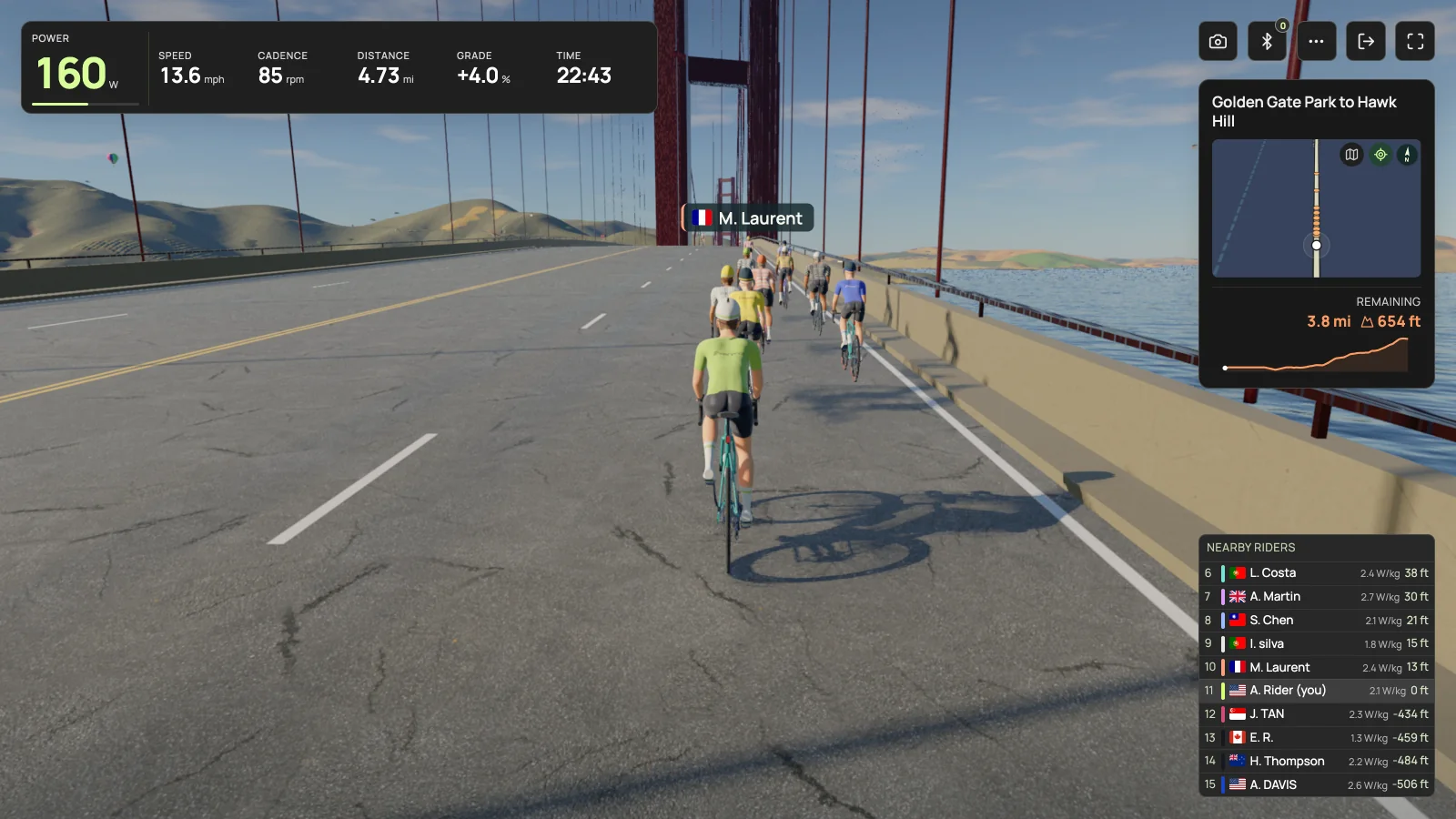
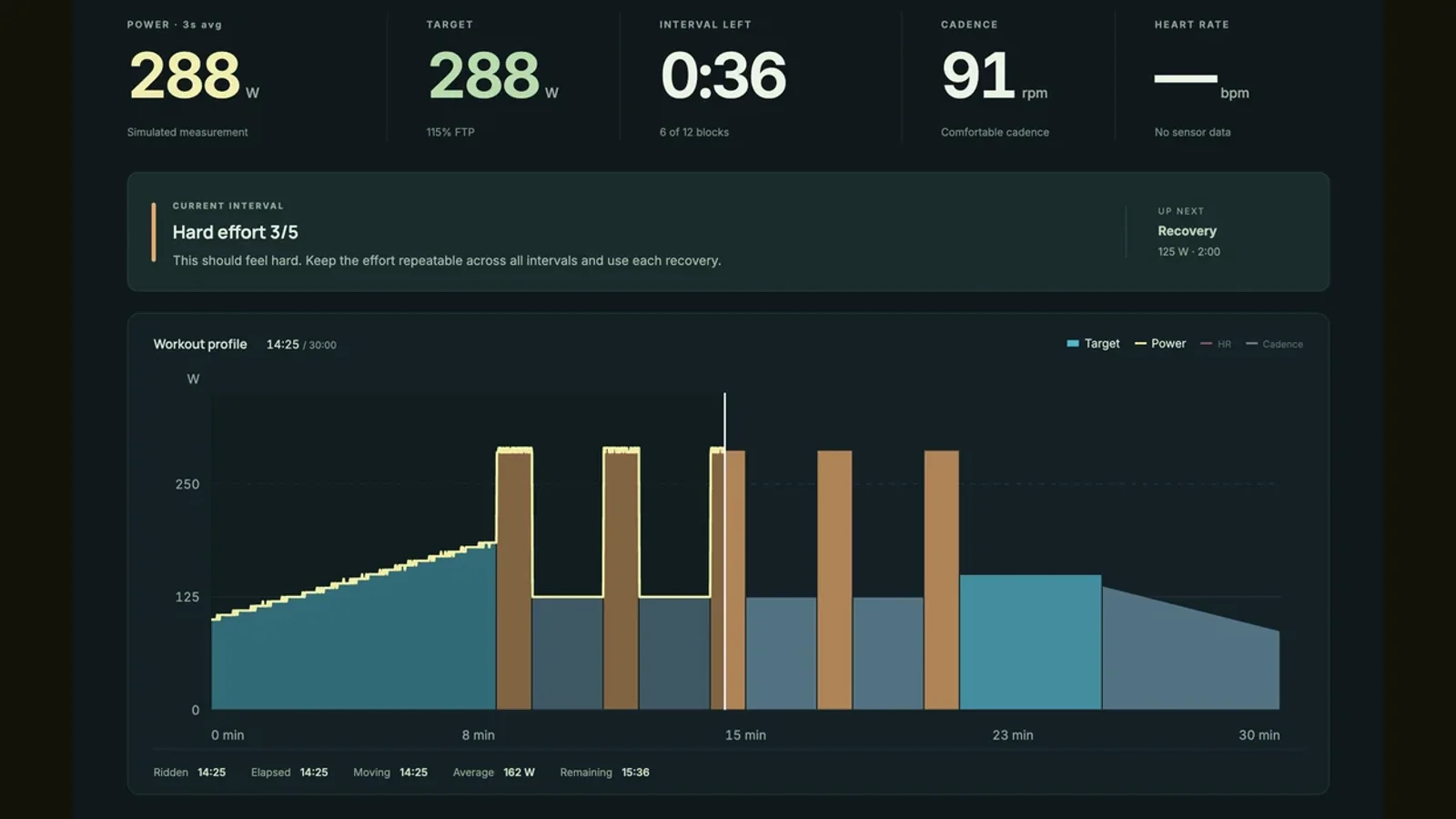
| What you follow on screen | Power targets, intervals and ride data | An avatar in a riding world with workout targets when selected |
| Adaptive planning | TrainerRoad AI and Plan Builder | Zwift Coach requires Plus |
| Filmed routes | Not the focus of the workout player | Zwift Video requires Plus |
| Combining the two | Sends eligible cycling workouts to Zwift | Runs the workout; completed activities sync back |
| Main tradeoff | Choose separate entertainment if you want it | Check whether you need standard membership or Plus |
Compare what happens when your week changes
TrainerRoad AI provides a four week simulation window, projected FTP and workout alternatives. Changes to your calendar cause the plan to update. Zwift Coach, included with Plus, builds around your goals, availability and riding preferences, and can prescribe a mixture of workouts, routes and other Zwift activities.
Try a realistic scheduling problem: you can ride Tuesday for 45 minutes, miss Thursday, then want a longer outdoor ride on Saturday. Inspect what each system recommends and whether you understand the changes. Do not compare only the first workout or assume that an AI label proves one plan is more effective. Our recommendation is to favor the workflow you can explain and follow when life interrupts it.
Decide what keeps you in the saddle on an ordinary evening
A focused workout display can be exactly right when you already know why you are training. You can concentrate on the intervals or choose your own entertainment. A shared world serves another need: it gives the session a setting, a destination and potentially other people to ride with.
Think about the last ride you skipped. If you could not decide what to do, planning may be the missing piece. If the plan was clear but the session felt unappealing, the riding environment may matter more. If getting the equipment ready was the problem, fix that before adding a subscription. Neither app can remove a bike from a cupboard for you.
Compare the full membership bill
The following US dollar list prices were checked against official pricing pages on November 7, 2026. They exclude applicable tax, promotions and legacy discounts. Annual amounts are paid for the year, not monthly installments. Check the linked checkout terms in your region before subscribing.
For a short indoor season, compare the months you need with the whole annual payment. For example, four months of standard Zwift at the listed monthly rate is $79.96 before tax, which is less than an annual plan even though annual billing has a lower monthly equivalent. The combined option is useful only if you value both services enough to keep paying for them.
| Option | Monthly billing | Annual billing | What you are paying for |
|---|---|---|---|
| TrainerRoad | $21.99 / month | $209.99 / year | TrainerRoad planning and training tools |
| Zwift | $19.99 / month | $199.99 / year | Standard Zwift riding and workouts |
| Zwift Plus | $29.99 / month | $299.99 / year | Zwift with Coach and Video |
| TrainerRoad + standard Zwift | $41.98 / month combined | $409.98 / year combined | Two separate subscriptions using the integration |
You can do TrainerRoad workouts inside Zwift
The official integration sends eligible TrainerRoad cycling workouts into Zwift and returns completed Zwift activities to TrainerRoad. You need active subscriptions to both. Start in TrainerRoad’s account connections, connect Zwift, then select the synced workout in Zwift. This lets you keep one system for planning while using the other to ride.
There are boundaries: TrainerRoad’s sync guide excludes ramp and FTP tests, and does not promise to import historical Zwift activities. Confirm that today’s workout arrived before starting. With the synced workout running in Zwift, let Zwift control the trainer; there is no need to run another workout player issuing resistance commands at the same time. Afterward, check that the activity arrived back in your training calendar.
Include outdoor rides in the decision
If you mostly ride outdoors and come inside for particular sessions, judge the planning workflow across the whole week. TrainerRoad documents indoor and outdoor training with activity integrations. Zwift Coach also uses connected activity data, but supported data and its use vary by platform. Check the connection you actually use, rather than assuming the two systems receive identical information.
Avoid treating two separate recommendations as a requirement to do two sessions. Decide which plan you are following, make your intended outdoor riding visible to it, and inspect the result after the ride. More dashboards are only useful if they make the next decision clearer.
Make your trainer and screen part of the comparison
TrainerRoad offers apps for iOS, Android, Windows and macOS. Zwift has its own device and operating system requirements. Check your exact machine, then check power reception and resistance control separately. An app opening successfully is only the first part of the test.
Virtual shifting deserves particular attention if you use a Zwift Cog or a frame without conventional bike gears. Do not infer that a controller will work in the TrainerRoad app because the trainer broadcasts power. When using the official workout integration, you ride the session in Zwift, where the Zwift compatibility rules apply. ERG target control and virtual gear control are different functions; verify whichever you need.
A practical way to choose
Compare one normal week, not your most ambitious imagined week. Note how long it takes to choose a session, whether the hardware works consistently, and whether you willingly start the next ride. That will not establish which system produces better training outcomes, but it will tell you far more about your purchase than a feature count.
- Start with TrainerRoad if your main problem is deciding how to organize training around a goal and a changing schedule.
- Start with standard Zwift if shared rides and events are the draw, and you already know which workouts you want.
- Evaluate Zwift Plus if you want guidance and filmed routes within the same Zwift membership.
- Use both only after deciding that TrainerRoad’s planning and Zwift’s environment each earn their separate cost.
Where Everycol fits if neither is what you wanted
If your real aim is exploring rendered roads in a browser, Everycol is another free option. It offers routes, workouts and saved activities, with training recommendations available to signed-in users. The training model is a prototype; we do not claim it replaces TrainerRoad’s planning or Zwift’s community.
Trainer riding uses Chrome or Edge on a supported Bluetooth desktop, with FTMS or supported Tacx FE-C over Bluetooth. There is no ANT+ USB or Zwift Click virtual shifting support. Compare that fit with your equipment before trying it. For filmed roads, free core riding or other training styles, the wider app comparison includes ROUVY, FulGaz, MyWhoosh and more.
Your questions, answered
Is TrainerRoad better than Zwift for getting faster?
This comparison does not establish a performance winner. TrainerRoad emphasizes planning and workout progression; Zwift has structured workouts and adaptive Coach with Plus. Your goals, execution and consistency matter more than the name of the app.
Can I use TrainerRoad and Zwift together?
Yes. Their official integration sends eligible cycling workouts to Zwift and completed activities back to TrainerRoad. It requires subscriptions to both and has exclusions, including TrainerRoad ramp and FTP tests.
Do I need Zwift Plus for TrainerRoad workouts?
TrainerRoad’s integration requires an active Zwift membership; Plus is not listed as a requirement. Plus adds Zwift’s own Coach and Video features. Check the current integration requirements before purchasing.
Can I use either app without buying a new smart trainer?
Possibly. Check the exact equipment requirements for your existing trainer and sensors. Receiving power, controlling resistance and using virtual shifting are separate questions, and support differs by app and device.
Sources & useful reading
For compatibility and changing product details, go straight to the source.
- TrainerRoad: apps, training tools and equipment
- TrainerRoad: AI training simulation and workout adaptation
- TrainerRoad: current membership prices
- Zwift: regional pricing and billing
- Zwift: how Coach builds and adapts a plan
- Zwift: Plus, Coach and Video
- Zwift: Coach and connected activity data
- TrainerRoad: connecting Zwift and what syncs
- TrainerRoad: completing its workouts in Zwift
- Zwift: supported devices
- Zwift: compatible trainers and virtual shifting